Drafts 54 has been released:
Details below. For a complete history of updates, visit the release notes.
54.0
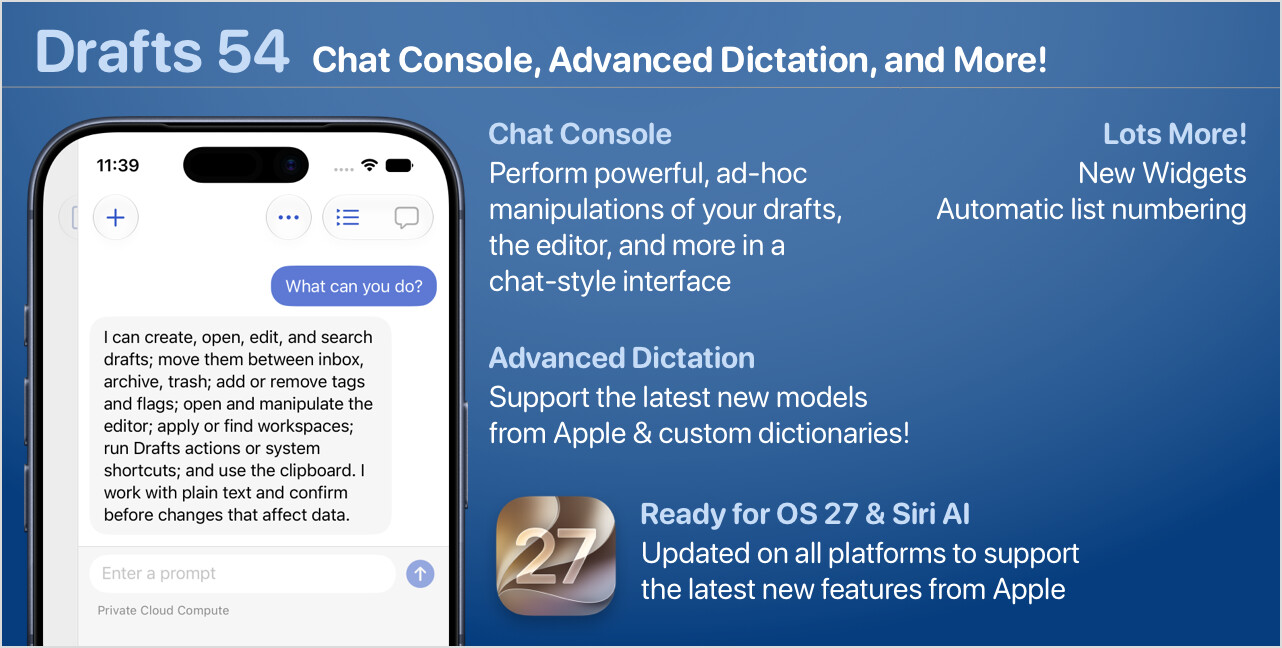
OS 27 & Siri AI
It’s hard to summarize the changes because most are invisible to users. Still, this update adds several new APIs introduced in OS 27 to support integration with the new Siri AI features. These help Siri be aware of the content in Drafts, understand the on-screen state of the app, and enable some limited direct integrations, like creating and opening notes.
Other compatibility updates include support for resizable iPhone apps, making more content indexable by the system, and more.
We’ve also made many general quality control and performance improvements across all platforms. All without changing the base system requirements.
Chat Console
The Chat Console requires Drafts Pro and a device running OS 27 with Apple Intelligence supported and enabled.
The console is a chat-style interface to use large language models (LLMs) to interact with Drafts. It is not a full-fledged chat client, but think of it as a quick way to do one-off interactions with your content. The console provides access to limited but useful, private on-device models from Apple, as well as the new Private Cloud Compute, and advanced models from Anthropic (Claude) and OpenAI (ChatGPT), each extended with tools specific to working with Drafts.
With it, you can create and update drafts, modify text selections, query and summarize drafts…as well as run actions and shortcuts, get and set clipboard content, and more. Some examples of the types of ad hoc operations you can accomplish with the Chat Console that previously required complicated scripted actions:
- “Rephrase the current text selection in a more formal tone.”
- “Make a new draft with a list summarizing all my flagged drafts.”
- “Get all my drafts tagged
personaland run the action ‘Save to iCloud Drive’ on them” - “Create and open a new draft with a template for taking meeting notes.”
Although Apple’s on-device model is supported, be aware it is very limited. If you plan to use the model for more complex prompts, we highly recommend using the Cloud model, or connecting an API key to use Claude or ChatGPT models.
There are so many possibilities. With optional tool sets enabled to extend the models, Chat Console can also work with files, calendar events, reminders, and more. Learn more about the Chat Console and related features:
- Chat Console: General article with example uses, details on the differences between available models, etc.
- AI in Actions: Covers using AI, both local and through online providers, in actions.
- TIP: Update a Widget Daily with AI & Shortcuts Automation: Tutorial on setting up a Home Screen widget that displays an AI generated summary of your daily calendar events and reminders, updated daily by a Shortcuts automation. Demonstrates scripting of new Chat Console features.
See other updates below for details on related scripting and automation features.
Dictation Updates
On OS 27, Drafts has a new, modern dictation interface. This interface exposes the latest dictation models from Apple, which have improved greatly in recent years, with advanced features such as:
- Define custom dictionaries. Have those pesky industry-specific terms, proper names, etc., that you dictate often but never get recognized properly? Add them to a custom dictionary to improve recognition accuracy.
- Select any locale/language.
- Select from any attached microphone.
- Configure options like emoji recognition and expletive masking.
- Continue dictation in the background. On iOS, a Live Activity starts to remind you it’s running, but you can continue using other functions on your device while dictating.
If you have advanced dictation needs, you may still benefit from other apps that use the latest online models. Still, for many, the privacy, speed, and accuracy of Apple’s on-device speech recognition are more than enough.
Learn more about using dictation
Widget Updates
We’ve modernized and improved a number of things in the Drafts widgets. Most notably, on OS 27, we added a new, more flexible Grid widget that adapts better to an arbitrary number of items and supports adding links directly to specific drafts in the grid. Note that this new Grid widget does not replace the old one. The old one is still available and labelled “Grid (Legacy)” in Widget selection.
Automatic List Renumbering
The editor now supports automatically renumbering sequenced lists when lines are added or removed. If the syntax highlighting definition you are using (like the built-in Markdown syntaxes) defines sequence lists, like (1. ... Markdown lists), the line numbers will be automatically updated as the list changes. The numbering is indentation-aware and supports advanced list sequence options, like padded numbering, in syntaxes that use them.
If you don’t want this behavior, you can turn it off in Editor Settings.
Other Updates and Changes
- All Platforms
- New: “Requires Drafts Pro” option on actions. If enabled on an action, Drafts will provide a friendly prompt to users of the free version who run the action explaining the action requires Pro features. This is purely a manual choice for action authors, but saves having to add code to check for the pro version, or less graceful errors that might occur if those features are unavailable.
- New: “Writing Tools” toggle in Editor Settings. If disabled, Apple’s AI writing assistance (including the “Write with Siri” floating thing on macOS 27) are disabled in the editor.
- New:
/chat?mode=[mode]&prompt=[initial prompt]URL scheme to open chat console. (Docs) - New:
/speak?text=[text]URL scheme to pass in text to read aloud with speech feature. - New: “Open Chat Console” app intent for Shortcuts.
- Change: Avoid white flicker when loading HTML previews in dark mode.
- Fix: Improvements to the conversion of HTML to Markdown when pasting.
- Fix: Re-architect how themes are applied, especially in embedded SwiftUI views, to better handle light-dark mode switching.
- Change: De-duplicate URLs found in drafts for the navigation menu.
- macOS
- Fix: Lots of editor-related fixes, for both the legacy and modern editor modes. If you have seen a variety of issues with jumping text, scrolling, and garbled text, we’ve tried to address all of them we knew about. If you have remaining issues after this update, please get in touch with details so we can get any remaining issues squashed.
- Change: Configure Window action steps now support toggling the bottom status bar on Mac.
- Fix: If Plain Text is your default syntax, on cold start editor options were not being configured properly in the new draft.
- Scripting
- New: Chat Console related functions
- New:
SelectPromptscripting. Allows creation of arbitrary, searchable, select dialogs that work kind of like the command palette, but you provide the options. Docs - New:
Windowscript object additions: isActionBarVisible,showActionBar,hideActionBar- (Mac only)
isStatusBarVisible,showStatusBar,hideStatusBar - New: Global
windowvariable defined to make it easier to reference methods on the current window. Interchangeable with the existingapp.currentWindowsyntax.