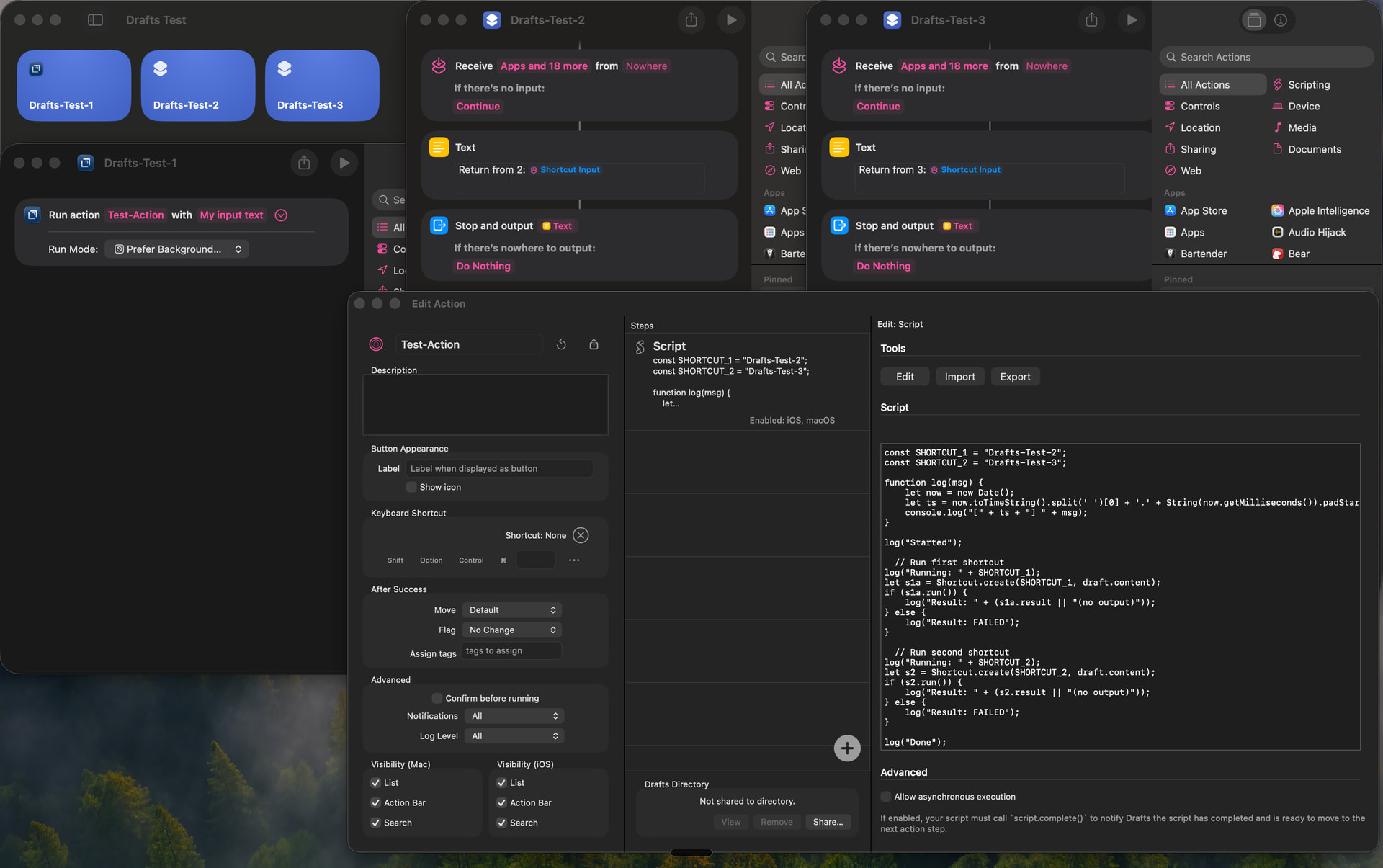
I want to invoke a Drafts action from an Apple Shortcut (because I want it to happen as a result of pressing the action button on my phone), and I’d like that action to invoke other Shortcuts.
I have a bit of trouble trying to do this, the action doesn’t quite seem to work, and I get a timeout message after a while:
(deleted image because I’m not allowed to have more than one, but it’s a screenshot of an error message saying “The action ‘Run Action With Text‘ was interrupted because it didn’t finish executing in time“)
I get the following logs when this happens:
[13:22:06.742] Started
[13:22:06.742] Running: Drafts-Test-2
[13:24:06.749] Result: FAILED
[13:24:06.750] Running: Drafts-Test-3
[13:24:07.668] Result: Return from 3: My input text
[13:24:07.668] Done
Script step completed.
The results might vary if the shortcut is run on Mac instead of iPhone, or Run mode is foreground instead of background, but my use case prefers running in background on my phone.
It would be easiest if you share the actual action and shortcuts so I could reproduce. You can upload the Drafts action to the directory as “Unlisted” and use that link.
I think this probably would need to run in the foreground to work because calling Shortcuts is done via URL scheme, and iOS does not allow background apps to open URLs in many cases as a security policy, and opening an app’s URL will always open it and bring it to the front…but I could test that theory if I have the examples to run. I think there’s also some weird behaviors trying to run multiple shortcuts simultaneously, which could be related.
What is your actual goal here? You might be better off just getting the draft content using shortcuts actions, not calling a Drafts action at all.
I’ve included links to the draft action and the 3 shortcuts below.
My actual goal is a workflow like this:
I press the action button on my iPhone, a text box comes up, I enter in some text
A drafts action processes the text, and does something based on the result (e.g. create a new draft based on the text, or runs an Apple Shortcut, or makes an API request, or some combination of these, etc)
I used to use a Shortcut for the text processing but I wanted to replace it with a Drafts action because I kept encountering issues/bugs with the inbuilt regex system for Shortcuts, and also it’s much easier to have unit tests for JS functions that go in Drafts actions than simulate test suites using Shortcuts that call other Shortcuts.
(Putting in code block to stop them becoming hyperlinks, which I’m only allowed 2 of)
You would have to re-architect this to make it work in the background.
If calling a shortcut from Drafts is part of the flow, it cannot run in the background. The only way Apple provides to call a shortcut from another app is to use x-callback-url, which means opening a URL, and thus requiring Shortcuts to foreground.
So you are probably better off doing the logic in Shortcuts. From there, you can run other shortcuts, or create the draft, or even run other Drafts actions that do support background operation, without that limitation.
I’m trying to migrate away from doing the logic in Shortcuts - it has been my solution for over a year now but the bugs are becoming hard to deal with. I could use Scriptable for the JS but I thought Drafts actions would be nicer if possible because then the shortcuts work on Mac as well.
I’ve been trying instead to do a 2-pass system:
Shortcuts gets user input, invokes Drafts Action to parse
Drafts Action parses input, creates an object with relevant information
Shortcuts uses object/dict returned by Action to invoke other Shortcuts, augment the object/dict, and call another Draft Action
Second Draft Action performs any other tasks as a result of the new object/dict passed in
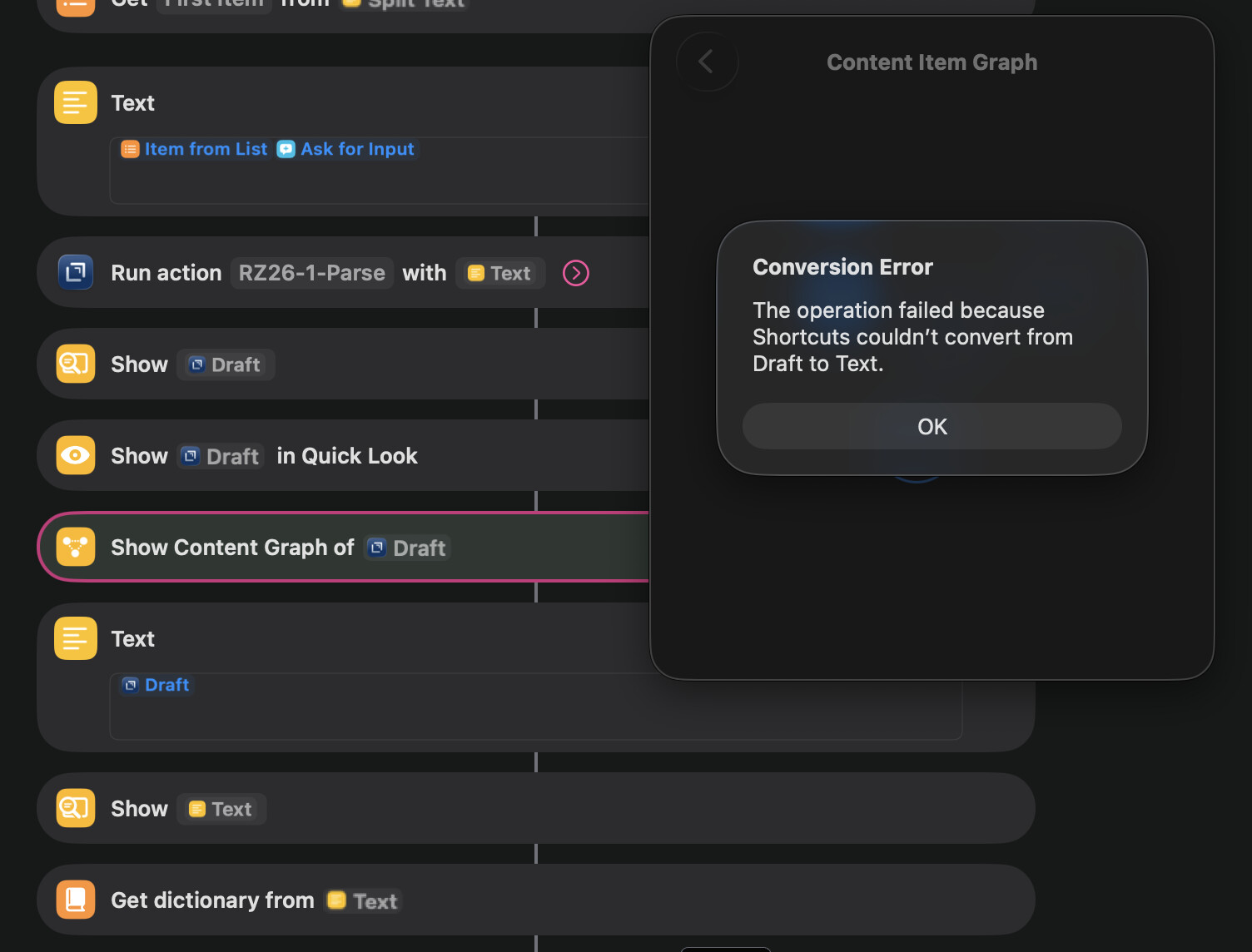
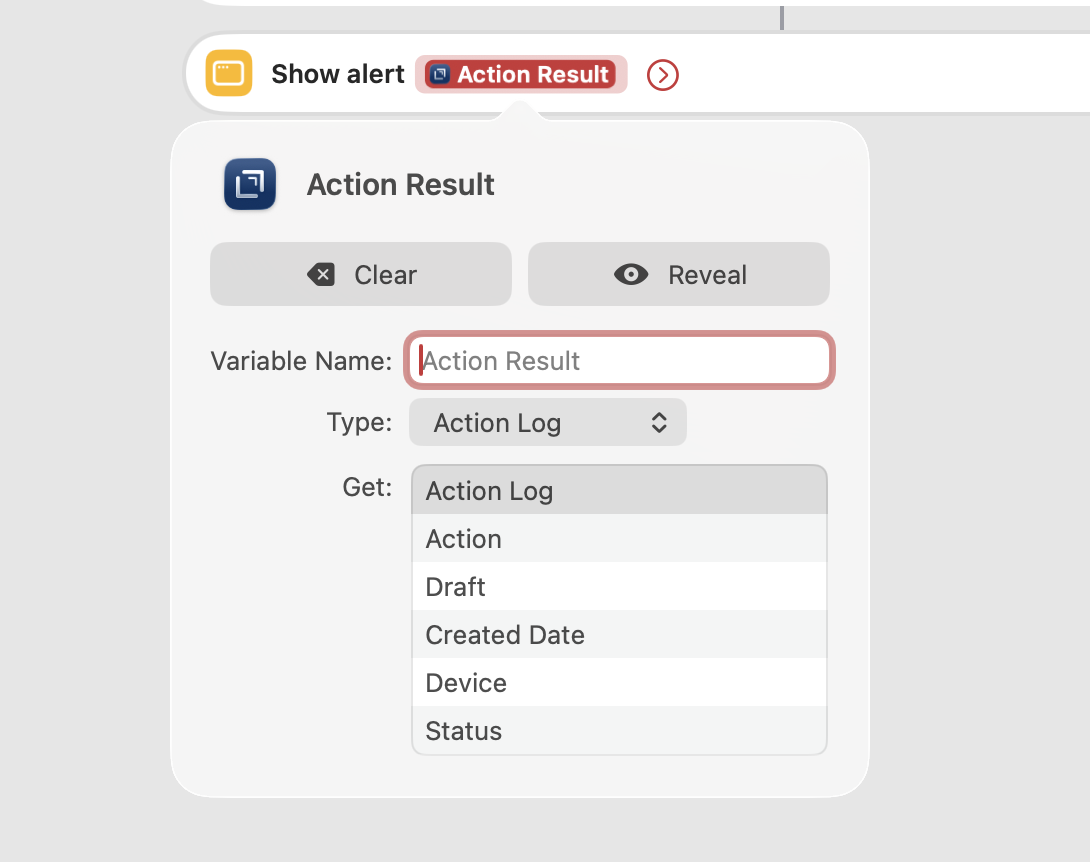
However I’m stumbling on a bit of a maybe silly problem - I’m not finding a lot of information in the Drafts online docs about the Action Result object that’s returned by the “Run action with text” shortcut. And in particular, I seem to struggle to get Shortcuts to treat it as text or convert it into a dictionary - am I doing something wrong?
(In particular I’m trying to get the “Draft” property of the Action Result since that seems to be the main way I can get output from the Draft Action to the Shortcut that called it)
Thank you - it is exactly this Draft property I’m trying to access, but when I try to do so I seem to run into problems - e.g. by seeing the error above “Shortcuts couldn’t convert from Draft to Text”. It seems to happen on both my Mac and iPhone, but is it just me?
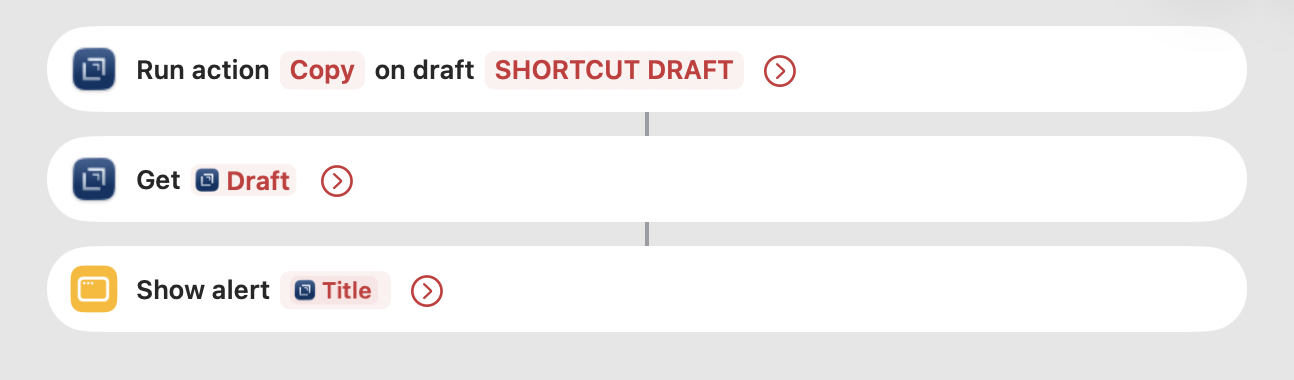
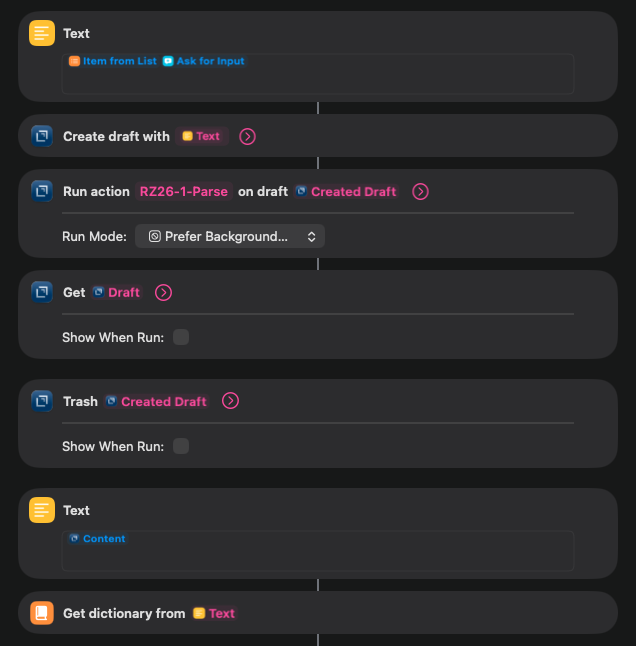
Shortcuts is a bit weird on nested objects. This seems to work for me…if I do a “Get Draft” which retrieves the “Draft” property of the Action Result, then work with that Draft to retrieve it’s properties.
Thanks so much - this seems to be working out for me!
I’m now doing the following - if I use the “Run action with text” shortcut action that I did before then if I try to follow it up with the “Get [ActionResult.Draft]“ shortcut action it comes up with a prompt “Which draft?” and a list of drafts, so I’ve instead gone with creating a real draft, running the action, and deleting it after.