Sidebar toggle increases window size

Hi Drafts team,

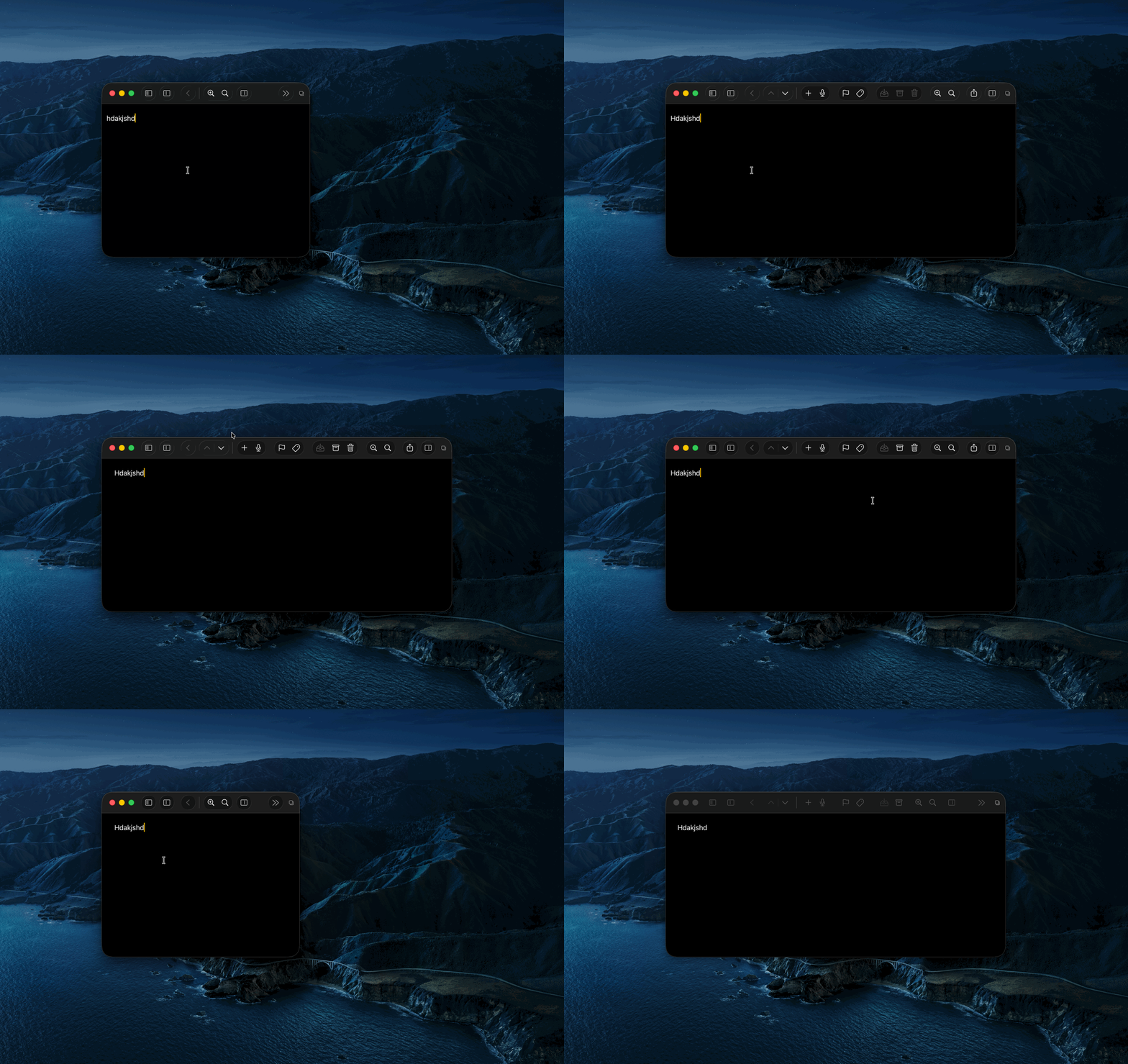
On macOS, toggling the sidebar with Cmd-1 causes the Drafts window to resize and shift to the right.

Steps to reproduce:

  1. Open Drafts on macOS.
  2. Resize the window to a roughly square shape.
  3. Press Cmd-1 to toggle the sidebar.

Is this a known issue, and is there a setting or workaround to keep the window fixed when toggling the sidebar

7

That is standard macOS behavior, and expected. The window must be at least as large as the minimum size of each of it’s displayed panels and will grow to fit them as needed.

If you are trying to maintain the smaller size, you could browse and open other drafts using quick search or the navigation menu which to not open a panel.
1 Like