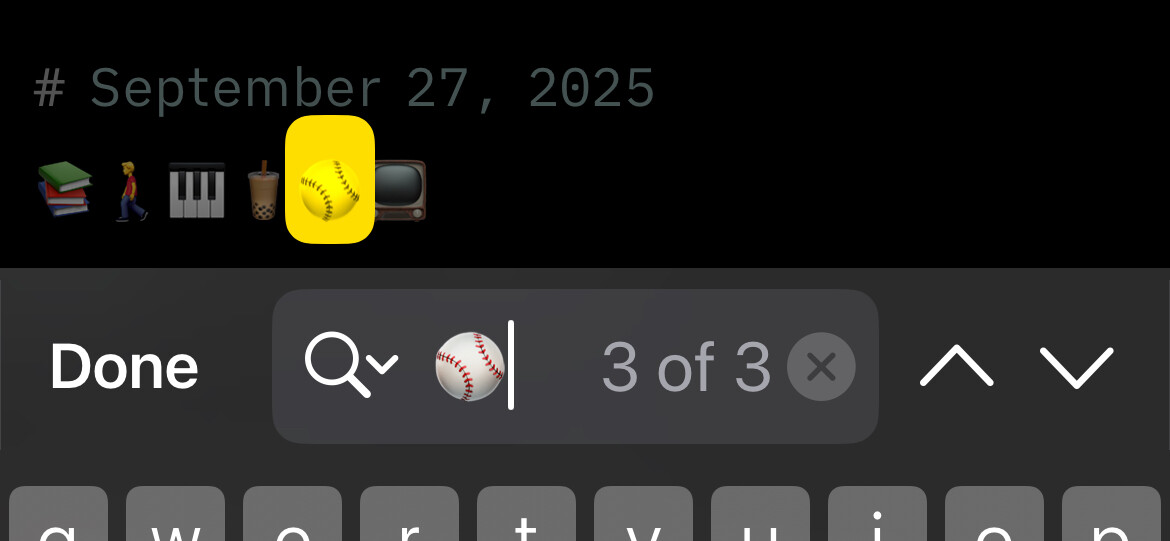
On iOS I can search inside a large draft for emojis (which I use to mark and log things), but it doesn’t work in MacOS. I assume it’s actually an Apple issue and not a Drafts issue, but was wondering if anyone knows if there’s a fix for that — a setting or something I’m missing.
Thanks.
I’m not having any trouble searching for Emoji on either platform.
Could it be specific to how you are searching (advanced vs. regular find - both work here)?
To the emoji character? Some of them are a bit weird and composite characters, but those don’t seem to be causing a problem here.
Oh weird; it is only certain characters. I was just checking using  and it works on my phone, but not my Macbook. I just tried
  and it works on both. So probably just some fucky character thing.
Interesting, because those same characters seem to work fine here on both platforms. 
Does using advanced find help?
Same result. Er… 0 results. No idea what’s happening.