Poll: Do you use Typewriter Scrolling?

The Drafts editor is clearly one of the key components of the app. Moving the app forward sometimes requires trade-offs. A trade-off I am currently considering is removing the Typewriter Scrolling feature, and I’m interested in some feedback from people about if and how they use the feature. Please answer the poll, and elaborate in the comments if you have particularly strong feelings one way or another. I’ll provide a little more context below the poll for those interested.

Do you use Typewriter Scrolling?

  • I do not know what Typewriter Scrolling is
  • I know what it is, but would never use it
  • I have tried it, but it wasn’t for me
  • I use it some times, but would not miss it
  • I use it frequently, but would be OK with it going away
  • How could you even think about removing “Typewriter Scrolling” you monster
0 voters

Context

There are two driving forces pushing this decision:

  1. This feature is holding back moving the editor to full support of TextKit2, Apple’s newer text rendering engine, which will provide “full” support for Apple Intelligence Writing Tools, and better handling of a variety of international text.
  2. The feature has always been glitchy and not an implementation I’m happy with, so moving forward really requires that I rip out the implementation I have (which relies on the old TextKit1 heavily) and start over. Which could delay rollout of the editor improvements.

The question really comes down to whether I should hold off on the move to TextKit2 to be able to take the time to rewrite the Typewriter Scrolling feature, or would I be better off moving forward by removing the feature, with the option to re-add it later as time and demand dictate.

I don’t take removing features lightly, so I wanted to hear from you all about how this change would impact your use of Drafts. Thanks!

4 Likes

Removing this feature would not at all impact my Drafts use. I already tested it, and once again after reading your poll, but it’s not for me. It just feels not natural for me to type in a draft and suddenly see the cursor disappearing where you just typed and the text scrolling in a non-sense and undesired way. I understand the feature, but would not use it anyway.

2 Likes

I use Typewriter scrolling constantly and would be very unhappy if it was to be permanently removed. I have no interest whatsoever in using Apple Intelligence Writing Tools.

I could live with temporary removal to allow other development to proceed, but I’d be in “are we there yet? are we there yet? are we there yet?” mode until it was reinstated.

(This is tne second forum to which I’ve signed up today. The first was to complain about the removal of Typewriter Mode from Ulysses, but they’ve at least retained typewriter scrolling.)

4 Likes

From my point of view it’s dependent on the device. I write long form texts in Scrivener mostly on a Mac with a larger screen, and there Typewriter Scrolling totally makes sense to me.

Drafts is my weapon of choice mainly on mobile devices where I don’t have to move my head noticeably to look at the bottom of the screen, should the text reach it at all.

So while I am hesitant to vote for removing a feature—at least temporarily—that I am not using but most certainly others do, I’d say: Go for the newer technology and bring back Typewriter Scrolling later.

Bring on TextKit2. I need more Intelligence

Please don’t remove it. To me it’s a necessity. However, if it would cause real problems, I’d understand the removal. I’d be brave, and smile through my tears. Thank you for the app BTW, it’s a gem. :slight_smile:

2 Likes

It all depends on the screen I’m using to write (this activity without AI ;-)…

I don’t really need it on my MacBook, but I appreciate this option on my iPhone and iPad (…yes, I pay for two annual subscriptions to write on my three screens; synchronization—even if I have to be careful when switching screens—is a huge help :-).

In short, I can understand why some people don’t use it, but as one of the contributors here points out, not having to move your head too much because the writing line is always at the same height is a comfortable feature that *Ulysses* and *ia Writer* also offer me…

And it’s particularly useful on the iPhone (paradoxically) because I write quite a lot on my iPhone 15 Max, including on public transport (bus, train, or ferry…) using gesture typing when it’s too bumpy…! The immediate advantage when it’s rocking is that I know where to look…!

Now, Greg is the only master on board :slight_smile:

nb: as I rarely contribute (shyness :-), a small request to those who know how to code: the various scripts I have tested do not allow sorting by accented letters, especially as we have strange characters in Europe, including œ or æ, à and é, etc.

More amusingly, in French, we have lots of articles that go beyond “a, an, the” if we want to sort them by temporarily putting them aside: such as “un, une, la, le, les and also ‘l’ followed by an apostrophe” :wink:

Have a good day from the South of France (I’m not always in Brittany on my island…!).

Thanks to Deepl for this linguistic assistance!

1 Like

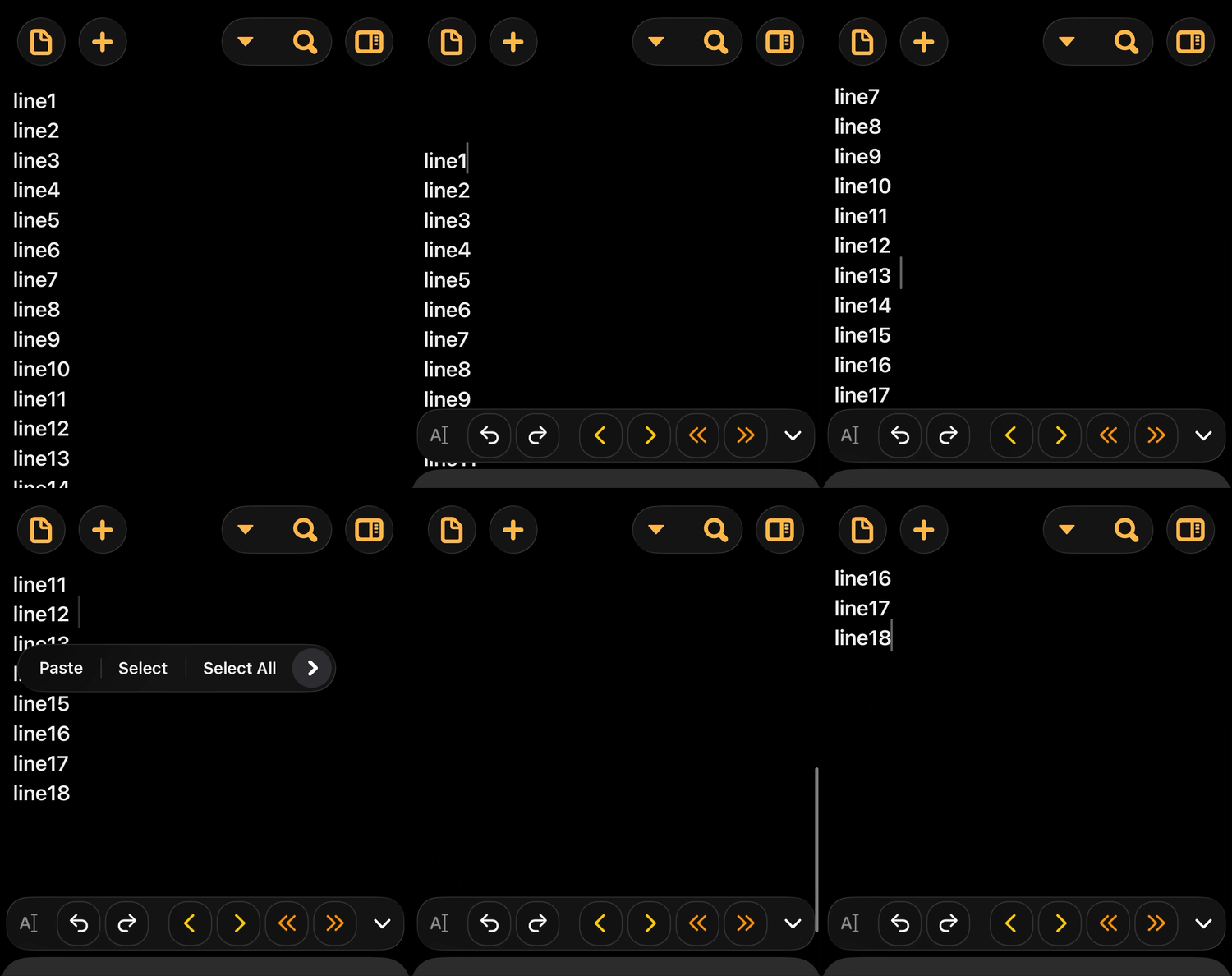
For small notes, I don’t use Typewriter Scrolling at all. For longer-form writing, especially on my iPad in landscape mode with a keyboard, I use Typewriter Scrolling a lot. At some point the text gets down to the very bottom of the screen and even sometimes gets lost among menus and such; Typewriter Scrolling brings the text back to the middle of the screen so I have a nice level writing surface in front of me as I’m chugging along. Thanks!

3 Likes

As long as you will recover Typewriter scrolling you are entitled to implement all the changes needed, for all the time needed, at least for me. Thank you for sharing with us the bulk of this issue and naturally for your wonderful app. Keep going, the path is the right one.

1 Like

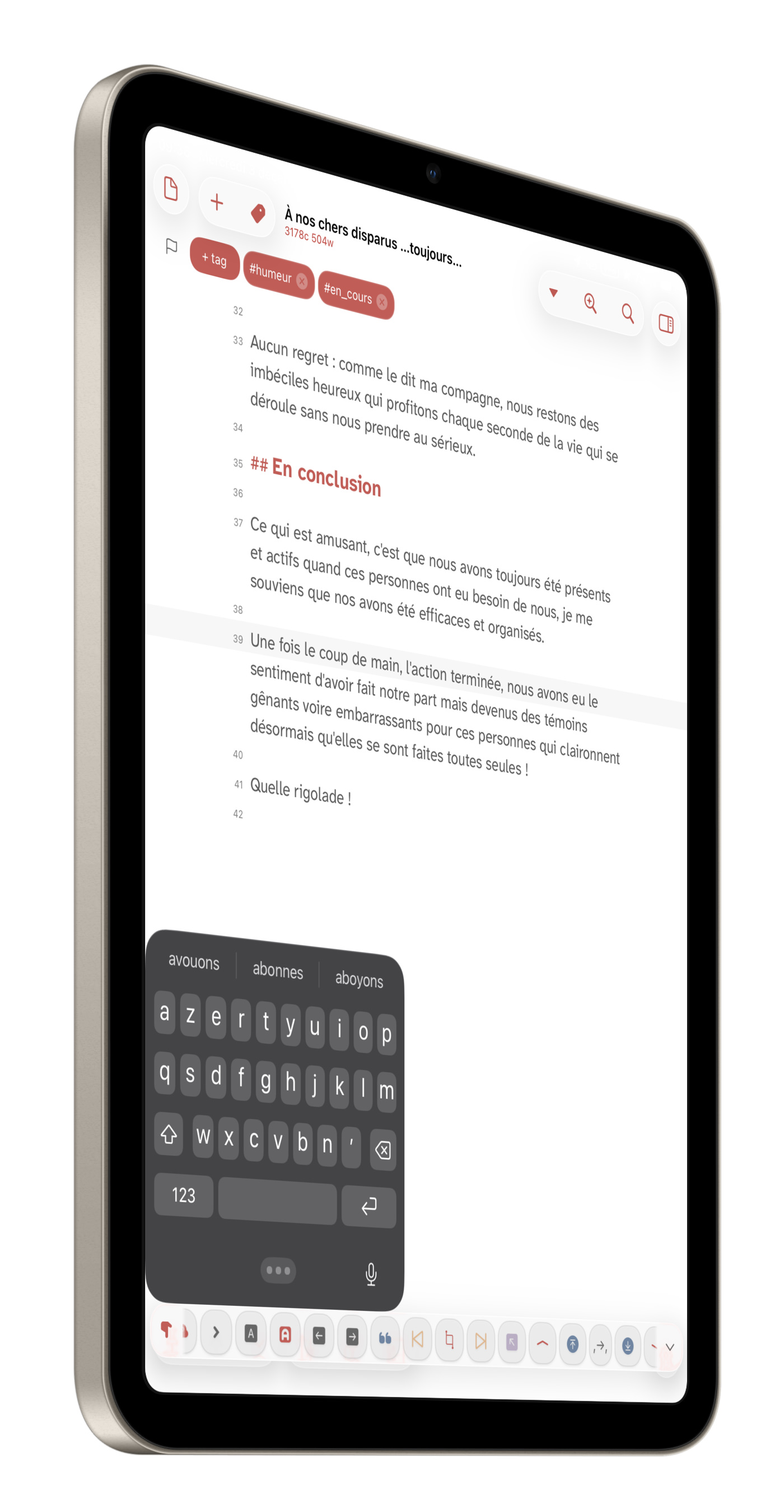
I’ll be back with just a screenshot to explain “why” I like finding my writing line in the center of my… iPad mini!

I use it with a reduced keyboard—gestural typing—which I navigate either with my Apple Pencil or my finger.

If the option—which Greg is thinking of removing—is disabled, the text moves down to the bottom and is hidden by the floating keyboard… That’s all. I would do it differently, period :wink:

Have a great day, everyone…

Looks like I’m going to be able to this feature rewritten more quickly than I estimated, so it’s not at risk at the moment.

2 Likes