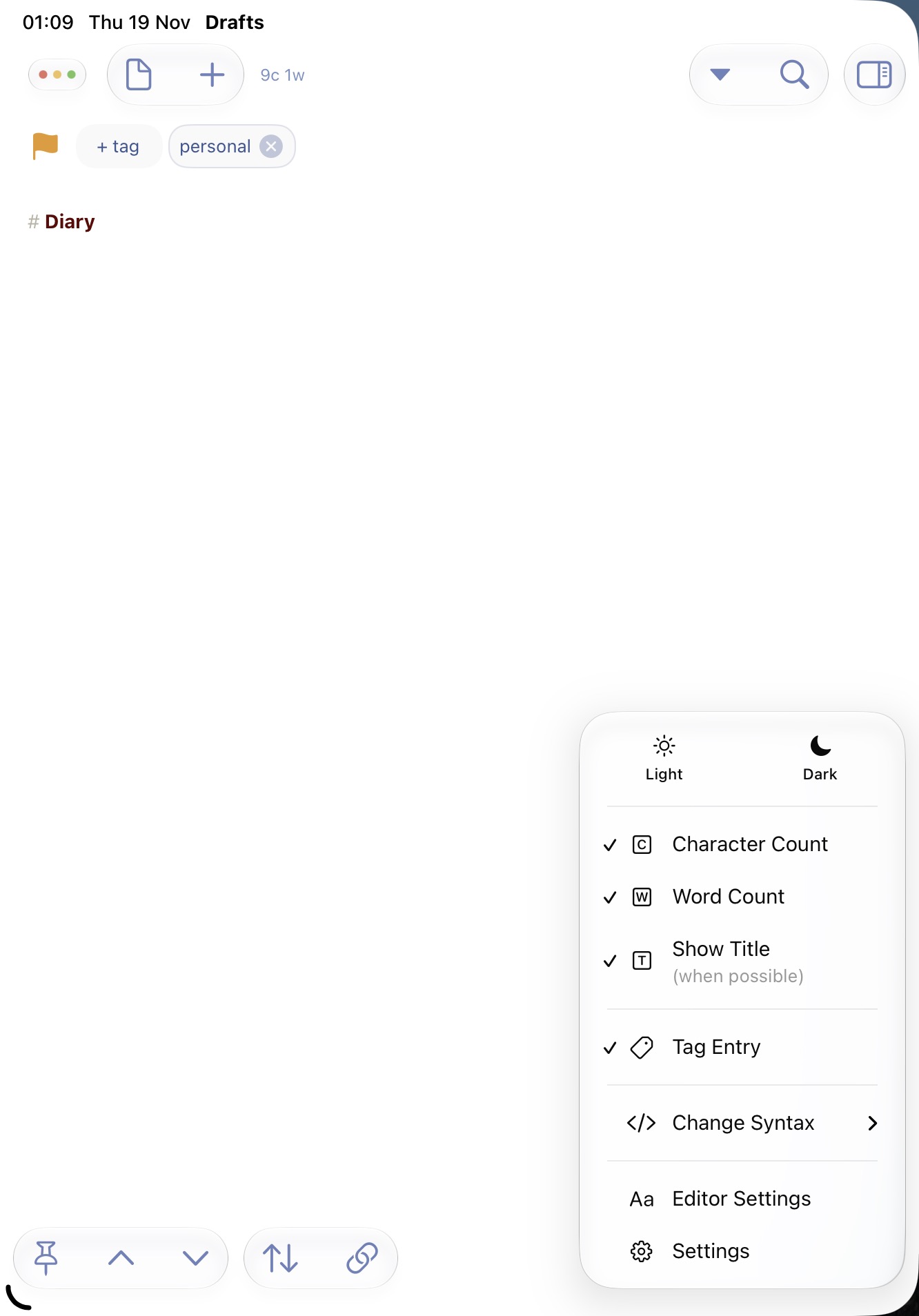
On iPadOS when you click the Settings icon at bottom right, there is a “Show Title (where possible)” option. It does not appear in the Settings or Editor Settings full menu. Is it documented what “where possible” means? I can’t see it at either of
The reason I ask is that for me with the option enabled the title is often missing, and when it is present it can be the title not of the current draft but of one I had open earlier. Character and word count both seem to display correctly.
This is Drafts 54.1.2 (947) on iPadOS 27.2.1 on a 2026 iPad Air M4 in landscape mode with Windowed Apps, with a full-height window of slightly less than half width on the left side of the screen.
For an earlier version of this issue that was solved, see here.
Screenshot (left side) showing that the option is on but the title “Diary” is not displayed at the top:
The title is still missing at Drafts 55.0 (965) in the configuration described above.
Doing the new Settings Search for “show title” returns no results.
Perhaps this is the expected behaviour, but it would be helpful if “where possible” can please be explained or documented somewhere, so we can tell whether it’s a bug or a feature.
Would “when space allows” be a better caveat? That’s essentially what it is. If the view is current in a smaller window, it should disappear.
I’ll do a review of how it’s updated. There may be a gap that is not triggering the update in some circumstances.
1 Like
Thank you for the reply: “when space allows” is clear.
I’ve now discovered that if I make the window a little wider, the title appears. Furthermore, it then stays present if I make the window narrower again.
But in this re-narrowed state there is a bug. When I move to a different draft, the title displayed stays the same, referring to the previous draft not the now current one. The title does update correctly if I make the window wider yet again.