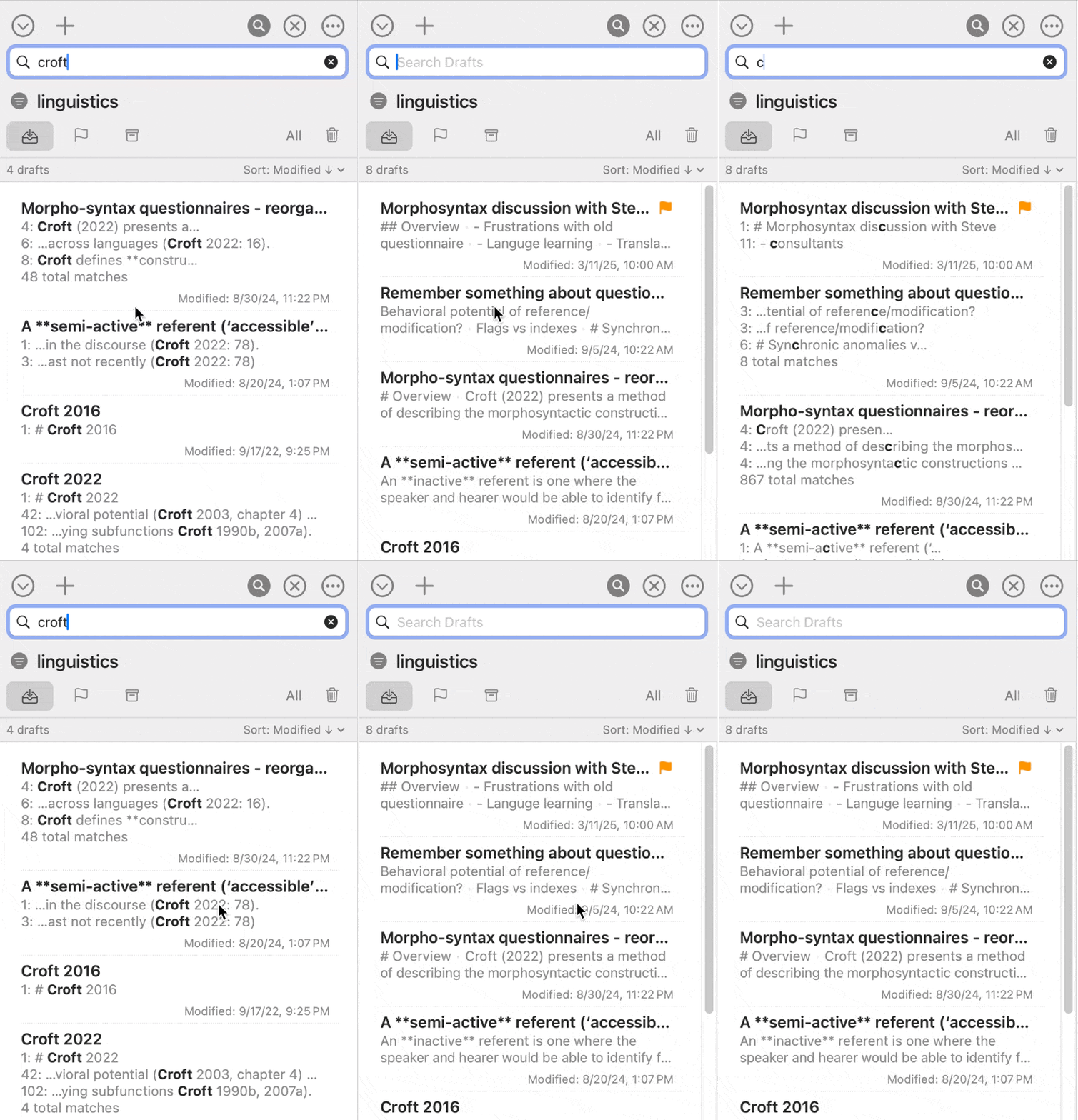
On Mac, when I toggle the Search Drafts field to show by clicking the button, the search field doesn’t automatically get keyboard focus. Using the Cmd-L keyboard shortcut does focus the search field.
The search field does automatically get keyboard focus when tapping the toggle on iOS/iPad.
Would it be possible to make it so clicking the button to toggle it also gives focus to the search field when it’s shown? I hope that makes sense.
Not a solution to your exact question but do you know quick search? This is not helping to search through the current draft list but will search through all drafts and is very easy to use (with a keyboard shortcut)
Thanks for the tip! There is also a keyboard shortcut for searching the Draft List as well (Cmd + L), which does focus the search field. I’ve just found myself clicking the toggle button often because of normal habits.
Related to this, when using CMD + L shortcut to search the Drafts List, currently any text already in the search field from a previous search is just cleared/discarded.
Would it be possible to make it select any text already in the field instead of clearing it? That would match the behavior of CMD + L in Safari’s location bar, and also search fields in other apps.
Sometimes I want to change just part of the search without retyping the whole thing, and it would be helpful to be able to do this from the keyboard.