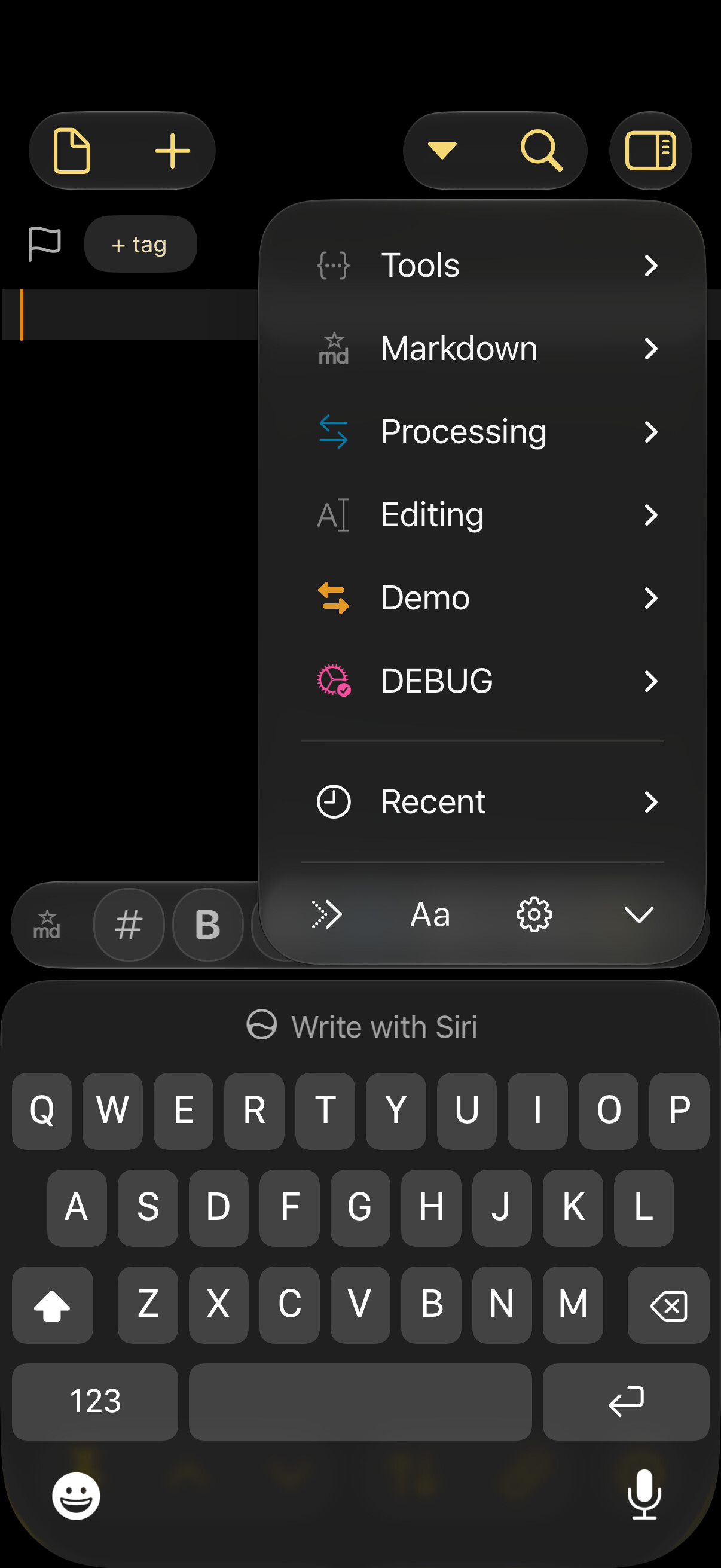
Is it possible to have another action bar? Especially on the small iPhone screen this would come very handy. For example, one bar for the most used actions/extra characters, the second with various actions to move the cursor and to select text etc., which is still cumbersome in the traditional iOS way.
Of course only as an option. While it would make sense on an iPhone Pro Max, it would leave approximately only a single line of text on the outer screen of the iPhone Duo.
I am aware that I could switch Actions Bars or swipe a single one to get access to more actions. But another bar would improve the writing because muscle memory could kick in.
I have played around with third party keyboards like KeyboardKit which allows an extra keyboard row, additionally to Drafts’ Action bar. That did give me no actions, but at least extra characters and punctuation marks.
But beside all the good ideas in theses apps so far I found their negative traits outweigh the positive ones.
Another way of achieving something similar would be to allow user-configurable extra actions to be added to the three currently fixed functions (Run, Edit Action, Group) which appear when you long-press on an icon in the action bar. This approach would have the advantage of not permanently taking away space from the text being edited.
1 Like
I support the great idea of FireLarch
1 Like
Do you know you can long press the keyboard dismissal button on the Action Bar and get to any of your actions in groups that are configured for use on bar?
1 Like
Yes that’s great.
Having the ability to launch a specific action upon long press on a button of the tool bar would be faster.
But I know how busy you are to develop and maintain Drafts and other great apps. This idea is not a priority !
My problem with the Action bar is that the group of actions I use very frequently is too large to fit without sliding from side to side, which slows things down. It would be more efficient to long press on an icon and choose another action from there. Either is more efficient than long-pressing the keyboard dismissal button then having to hunt through the action groups.
You could use an action that prompts you to select from a list of actions. Like:
I already do that all the time. It works, but the Prompt popup is not light weight. I still think extra configurable actions from icon long press would be a quick and useful alternative.