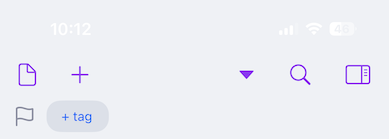
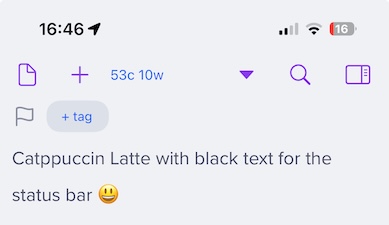
No, the status bar color is controlled by the system and cannot be altered by an app. It is black text when your device (or the foreground app) is in light mode, and white text when in dark mode.
If you had white text on the light background, you likely selected a light theme to be your dark theme in Drafts.
Starting with the light theme set to the built-in Light Gray theme - status bar text is black
Switch the light theme to Catppuccin Latte - status bar text is white
Also spotted that if I pick a built-in dark theme to be my light theme then that uses white text and conversely if switch the device to dark mode and pick a built-in light theme to be the dark theme then that uses black text.
One other thing I thought of is that I’m still on iOS 18 (18.7.7) so not sure if this is something that’s been changed/fixed in iOS 26?
OK, sorry, there is an isDark property in theme definitions that can make the theme override the dark/light mode. Not commonly used, and not used in any of the standard themes…but I guess this one has it set.
Probably worth noting here that there is also an option in Editor Settings to totally hide the status bar when in Drafts, as well - if you are just wanting less distractions.