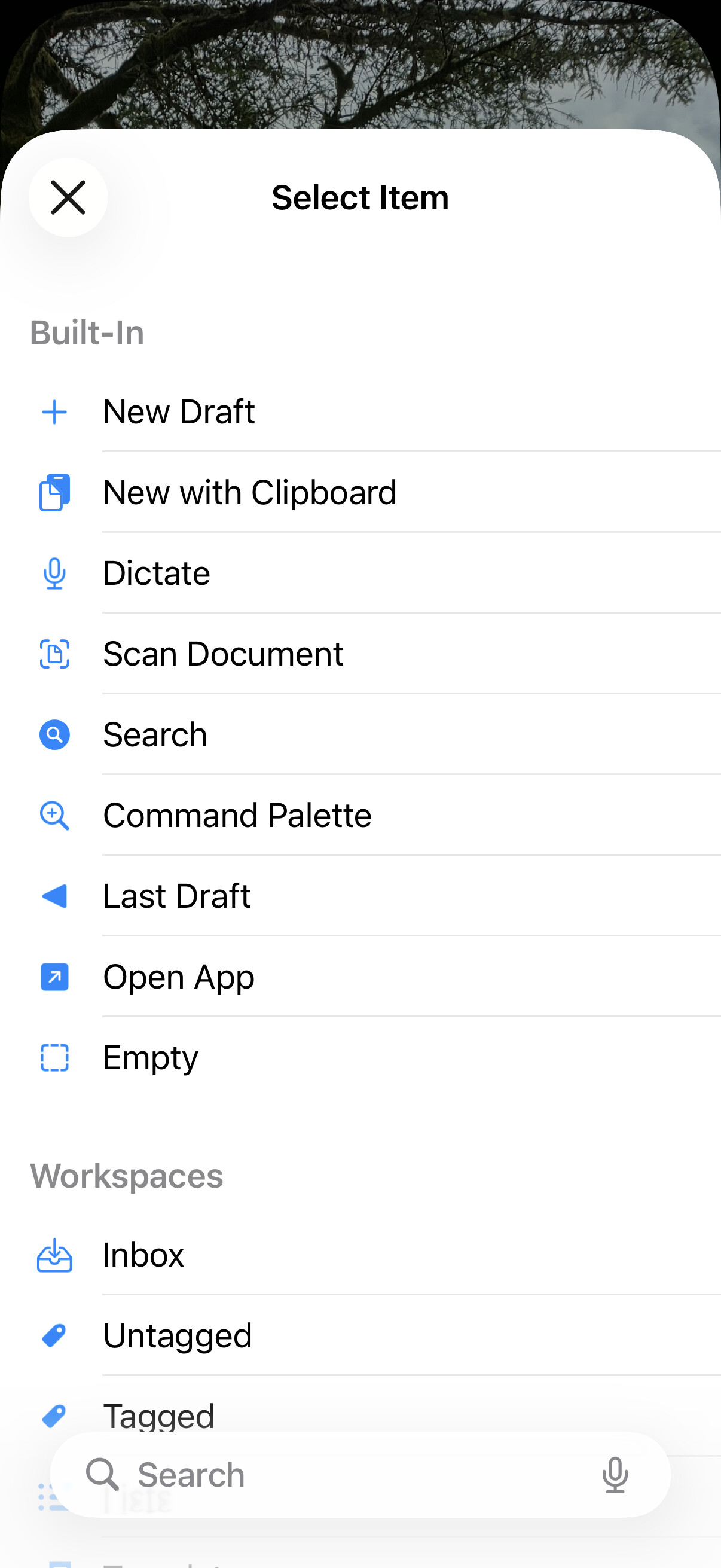
When I add a lock screen widget on iOS 26, it opens the inbox. But I would like to be able to create a new draft.
The documentation says I can press and hold to configure what it does, but pressing and holding on it opens the lock screen customization instead.
How do I customize the widget’s behavior?
When customizing the lock screen, you have to configure the widget you added by tapping on it…just like when modifying a home screen widget.
When configuring the Drafts Lock Screen widget, you will have two options “Item” and “Display Mode”. If you tap on item you will get the long list of things you can have the widget do - which include commands like “New Draft”, and also direct links to workspace, to run actions, etc. (like the below)
Thank you very much! That worked. I had tried tapping on it and tapping and holding in every other place, but got it working this time.
1 Like