what is the best way to export all the drafts to devonthink with first line as title?
One way would be to create an On Import smart rule in DEVONthink with Change Name to Proposed Name.
Or if you want Drafts to create the title you could use the [[title]] tag in the Name field of Drafts’ File action. The name could be [[title]].md.
You should use Create as the Write Type to prevent overwriting a draft with another one with an identical first line.
Check Maintain Date if you want to keep the original create date and add [[tags]] in the field Tags if you want to keep them too.
there is no an action already made to bulk export all my drafts?
It is worth searching these topics for “Export Drafts” because you will find a number of options. If none fits your needs exactly something may provide a starting point.
forget for a while Devonthink…
how to bulk save/export all my notes to a folder of choice as .md or.txt? Thanks
Have a look at these
https://drafts.discoursehosting.net/search?q=drafts%20export
thanks I did it before starting my post… not so obvious when the goal is to bulk export ALL the drafts… did you try?
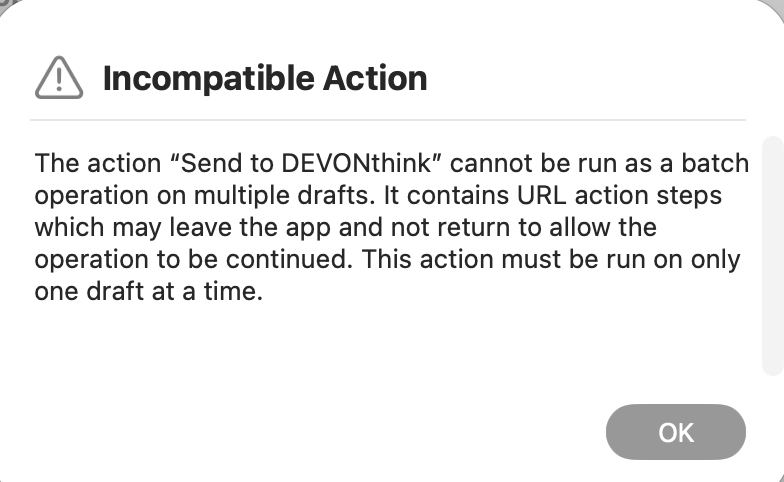
I don’t use DEVONThink, so am not super familiar with it’s various options. If you want to go directly to DEVONThink, the URL-based actions won’t work because, to the best of my knowledge, they do not support x-callback-url on their end, so individual URL actions cannot be strung together.
Maybe DEVONThink supports Shortcuts? If they have Shortcuts actions to import content, that might be a more flexible way. Or AppleScript.
If you just want something simple, you are probably better off exporting to files. Just use an action configured they way you want the files written to iCloud Drive (start with the example Save to iCloud Drive action)…and then inporting the files into DEVONThink.
Thanks
is what I am trying to do…
first change the file name to [[safe_title]]
and second… how to save exported drafts to a folder of my choice?
You configure the destination in the action. You can put in a path value for a sub-folder of the “Drafts” iCloud Drive folder. That’s easiest. If you want to save to another arbitrary folder, configure the action to use a Bookmark and select the desired folder.
“You can put in a path value for a sub-folder of the “Drafts” iCloud Drive folder. That’s easiest.” it is not so easy… any hint?
DEVONthink To Go supports x-url, DEVONthink (for Mac) does not.
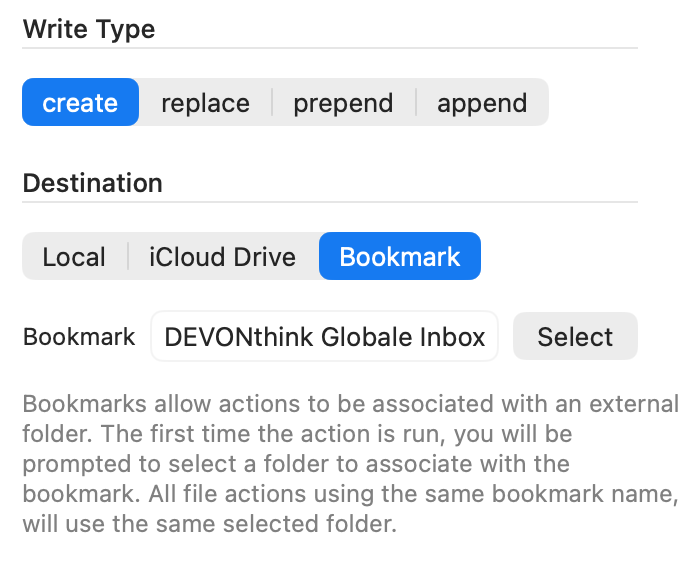
The Files action I suggested works with Finder folders, this could be DEVONthink’s Global Inbox Finder folder or any other Finder folder which DEVONthink indexes. And of course bulk export works with this action.
As for a specific DEVONthink database or group as a target: I use tags in Drafts and a script in DEVONthink that looks for specific tags which indicate where files which are added to the Global Inbox should be moved – and then the script moves them (and removes the tag).
A benefit of using DEVONthink’s Global Inbox as a distribution point and tags as direction signs is that it works for all kind of files added to the Global Inbox.
When you are on a Mac that runs both Drafts and DEVONthink why use iCloud at all? DEVONthink’s Global Inbox, the database, uses a special Finder folder called Inbox. Its path is /your user name/Library/Application Support/DEVONthink/Inbox. When running DEVONthink automatically imports everything that appears in the Finder folder Inbox to the Global Inbox database.
Choose that (or any other folder) in the Files action under Bookmark:
Thanks
It works flawlessy!
Glad I could help (assuming that you referred to me).