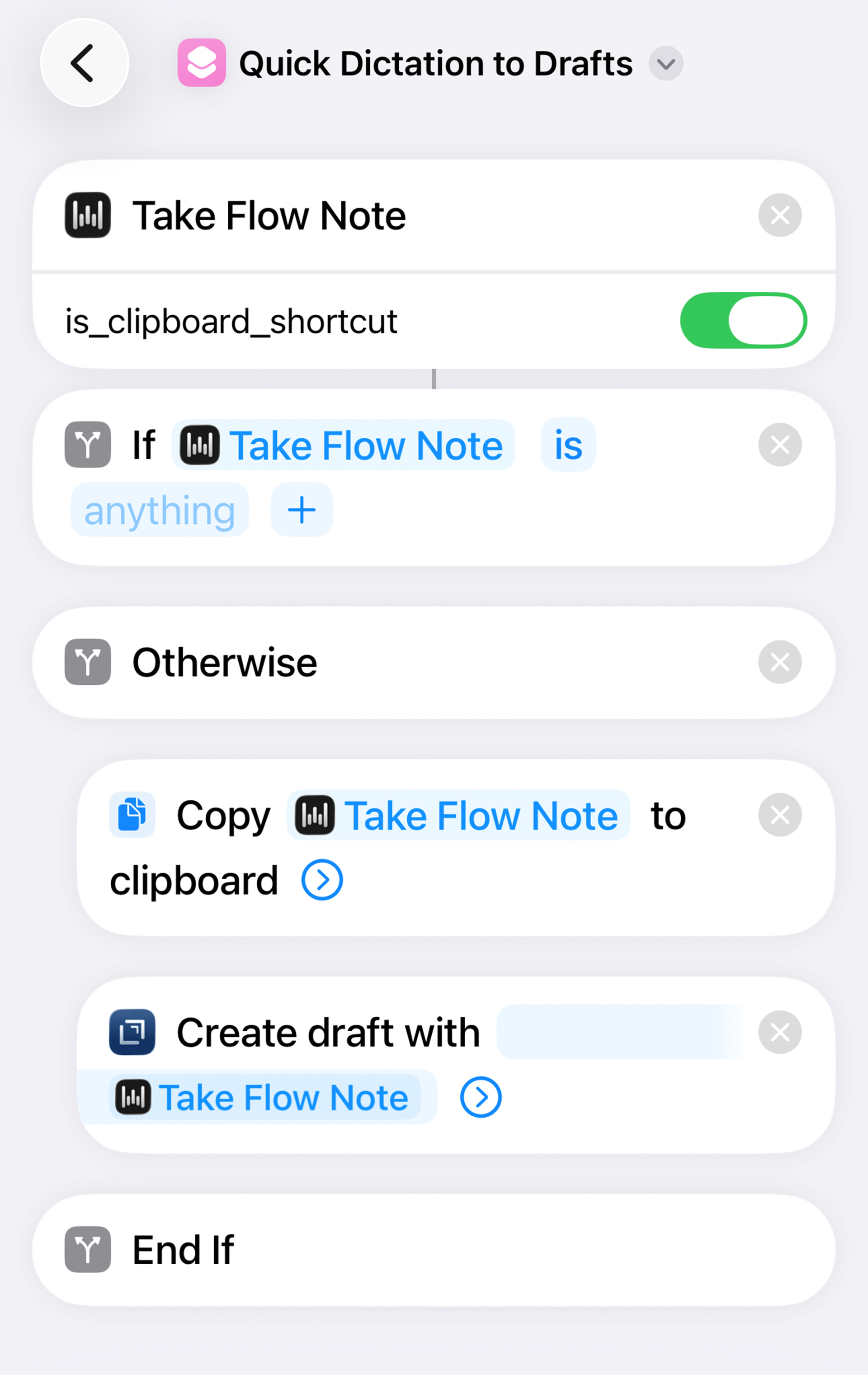
I am LOVING this shortcut triggered by the action button of my iphone!
I’m out on a walk, driving, or wherever…I press the action button and a new draft is created. The bonus is that it’s also copied to clipboard, so this action is better that the ios keyboard kludge for Wispr Flow
Any chance you could post it? I’m going try out wispr flow, downloading when home. I’ve previously used superwhisper and Spokenly but just upgraded to the newest iPhone and have an action button for the first time.
Thanks so much, @Matt_Fischer! I’m trying the free trial of WisprFlow and it hasn’t let me download their shortcut at all. It sends me to the portal to get an email code, I get the code and type it in, it enters, refreshes the page, and then leaves me right in the same spot to get another code. Over and over; it’s been driving me nuts you’re saving me big time, brother.
I use Superwhisper and Spokenly at the moment, but I’ve heard great things about coding with WisprFlow and they don’t have that insanely cool shortcut you just sent.
Love this shortcut! I would love to run an action on the draft after finishing dictating, but I’m having problems. It’s prompting me to choose which draft to run the action on before I even dictate, and then gets hung up after I finish dictating. Any ideas here? I’ve tried putting the “run action on draft” step both before and after the End If action. In a perfect world, I would have a choose from menu prompt at the end asking me what I want to do with the draft I just dictated. A list of a few actions, and then a “nothing, save to drafts inbox” choice. Any help would be much appreciated!